How to Start an Internet Radio Station: Beginner’s Checklist
Start an internet radio station with a practical checklist covering your format, equipment, music licensing, hosting costs, and first broadcast.
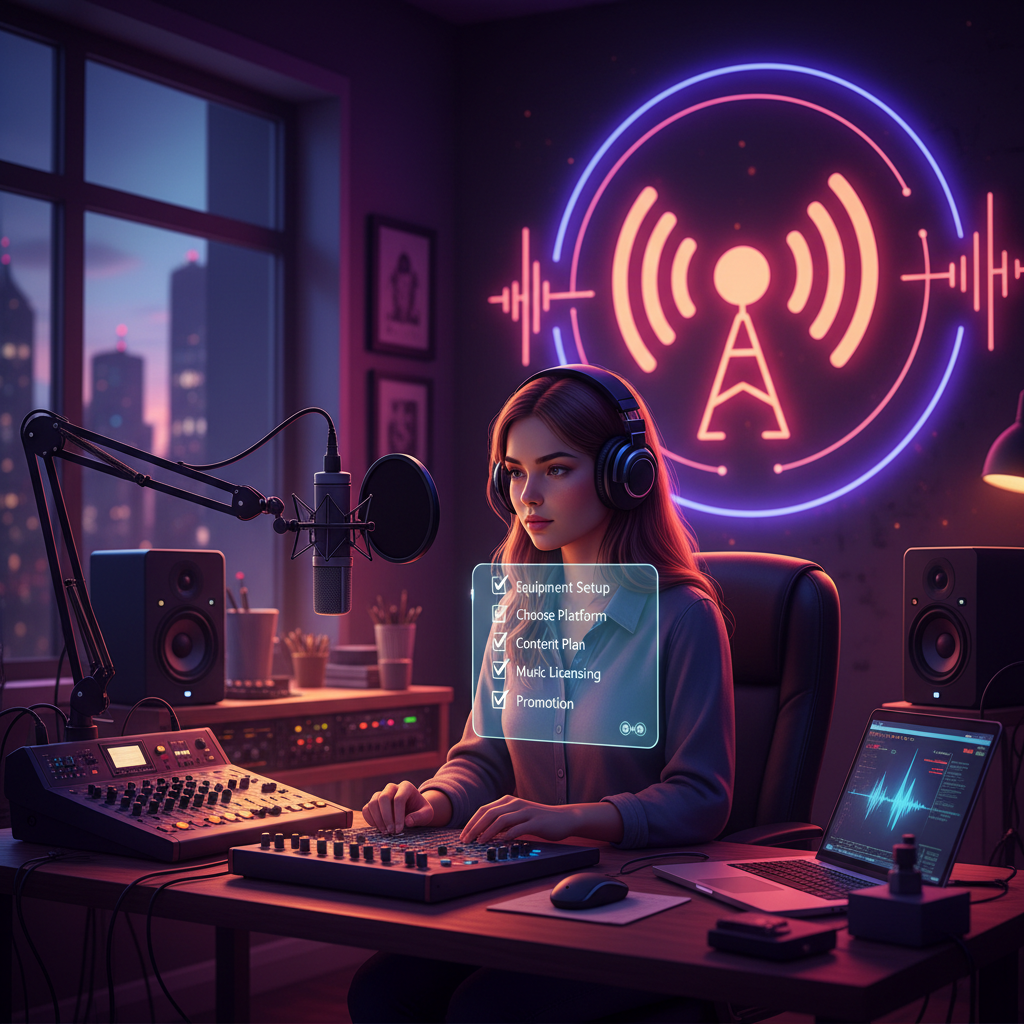
To start an internet radio station, choose a clear format, select a hosting plan, prepare your audio, and confirm any music licensing requirements before broadcasting. Wowzaradio lets independent human hosts go live from a browser, with AutoDJ taking over when they stop, so you can begin with a manageable schedule and build from there.
1. Define Your Station Before Choosing Equipment
Start with a one-sentence promise: who is your station for, and what will they hear? A focused concept makes it easier to plan shows and explain why someone should listen.
Your beginner’s checklist:
- Audience: Identify the people you want to reach.
- Format: Choose music, interviews, discussion, or a planned mix.
- Identity: Pick a name and write a short station description.
- Schedule: Commit to live slots you can realistically maintain.
- Launch goal: Decide what a successful first month would look like for you.
For example, “independent music and conversations with local artists” gives you a clearer programming direction than “something for everyone.” If you already run a station, use this checklist to sharpen your positioning rather than starting over.
2. Choose Your Hosting Plan and Budget
Hosting is one part of your station budget. Also consider any equipment purchases, music licensing, and optional production tools you decide to use.
Wowzaradio is an internet radio hosting network of independent human hosts. It is not affiliated with Wowza Media Systems.
| Wowzaradio plan | Price |
|---|---:|
| Hobbyist | $0 forever |
| Starter | $19/month |
| Creator | $29/month |
| Pro | $69/month |
| Network | $199/month |
Paid plans start with a 14-day trial. Code WOWZA10 gives 10% off an eligible paid plan at checkout.
Compare the current plan details on the hosting plans page, and choose around your actual programming needs. Avoid paying for a larger setup simply because you hope to expand later.
Music licensing is a separate paid add-on, and it varies by country. Keep that expense separate from hosting when estimating your budget.
3. Check Music Licensing Before You Broadcast
Make rights checks an early task, not something you postpone until after launch. If music is part of your format, review the music licensing guide and confirm what applies to your country and intended use.
Before scheduling music:
- List the types of recordings you want to play.
- Note where you will operate and whom you intend to reach.
- Confirm the applicable licensing arrangements.
- Keep records of permissions and relevant agreements.
- Ask about any use you are unsure is covered.
Do not treat a hosting subscription as proof that every recording or use is authorized. If you also plan to publish podcasts or use a station video player, check the requirements for those uses rather than assuming your live-radio arrangements apply.
4. Prepare a Simple Broadcasting Setup
Keep your first setup manageable. Prioritize understandable speech, comfortable monitoring, and a workflow you can repeat confidently.
Prepare:
- A device for broadcasting.
- A microphone if you will speak on air.
- Headphones for checking your sound.
- A quiet space with distractions reduced.
- Your show outline and prepared audio.
With Wowzaradio, you can use one-tap browser broadcasting through “Go on air.” It also works with OBS, butt, and phone apps. Review the broadcasting software guide if you want to compare workflows.
Test your chosen setup before announcing the first show. Listen for distorted speech, distracting background noise, and abrupt volume changes between your microphone and recorded material.
5. Plan Live Shows and Off-Hours Coverage
Write a short running order for your first broadcast. Include an opening introduction, your main segments, transitions, and a closing reminder about the next show.
Then decide what listeners should hear when you are away. On Wowzaradio, AutoDJ takes over when you stop broadcasting. Prepare that handoff as part of your station’s programming rather than leaving it as an afterthought.
AI is optional off-hours coverage only, and AI content is labelled “AI-assisted.” You can build your station around human-hosted shows without making AI part of your workflow.
For launch, aim for a schedule you can sustain. A smaller, well-prepared programme is a better starting point than a timetable you cannot keep.
6. Test the Complete Listener Experience
Before promoting your station, run through the experience from a listener’s perspective:
- Open your listening destination on another device.
- Check that speech and music are comfortably audible.
- Test the transition from live broadcasting to AutoDJ.
- Make sure your station description explains the format.
- Confirm that your next live show is clearly communicated.
- Ask a trusted listener for specific feedback.
Wowzaradio offers an installable listener app through Add to Home Screen. Consider explaining that option to listeners who want an easy way to return.
7. Promote First, Then Add Extras Deliberately
Share a clear invitation: what the show covers, when it happens, and where to listen. Explore the station directory to get familiar with the network.
Wowzaradio also offers podcast hosting, a station video player, events, fan clubs, tips, merch, and ads revenue share. Evaluate these around your audience and workload; do not assume every option needs to be part of launch day or will generate income.
Keep host and listener pricing distinct. Music-only listener tiers start at $1.49/month, with details on the listener plans page.
Frequently Asked Questions
Can I start an internet radio station for free?
Wowzaradio’s Hobbyist plan is $0 forever. Music licensing is a separate paid add-on, and equipment or other tools may add to your costs.
Do I need specialist broadcasting software?
Not necessarily. You can broadcast from your browser using “Go on air.” Wowzaradio also works with OBS, butt, and phone apps.
What happens when I stop broadcasting live?
AutoDJ takes over when you stop. Plan your off-hours programming so the transition fits the station experience you want to provide.
Ready to Start Your Station?
Turn your idea into a realistic format, finish your licensing checks, and test one complete show. Follow the start-a-radio-station guide for your next steps, or compare hosting plans when you are ready to choose.
AI-assisted: drafted with AI and reviewed by the Wowzaradio team.